
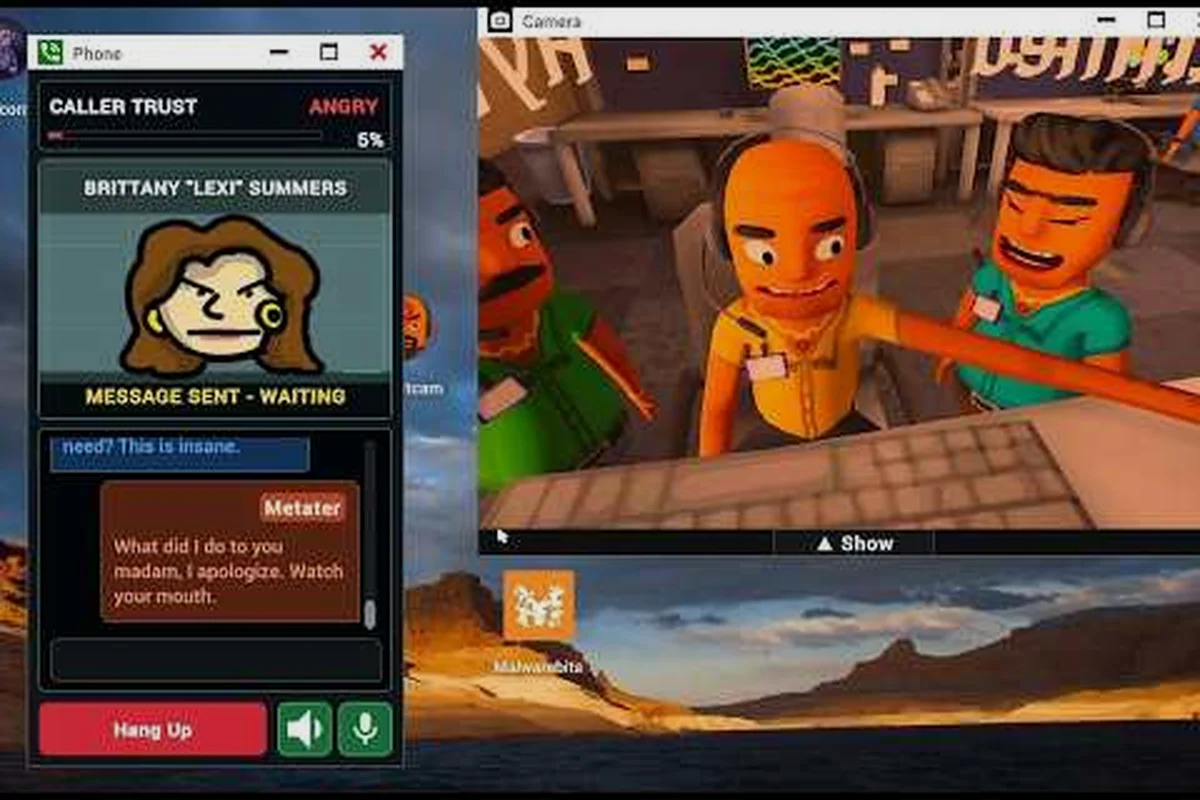
Office NPCs in Scam With Your Friends are the backbone of every shift, and when they break, your whole run can fall apart. This guide breaks down scam with your friends office npcs behavior, from stairs navigation quirks to stuck and missing props that force a restart after disaster.
How Office NPCs Behave During a Shift
The office NPCs in Scam With Your Friends follow a fairly rigid behavior loop, and understanding that loop is the difference between a smooth shift and a chaotic one. Each NPC cycles through idle, walk-to-desk, interact, and return states, and the game resolves those states in a fixed order. When something interrupts that order — a blocked path, a physics glitch, or a prop that never spawned — the NPC can freeze mid-action and stay there until the next scene reload.
In practice, the behavior tree prioritizes the nearest valid interaction point, which is why NPCs sometimes ignore a closer desk and walk toward a farther one. That quirk is usually harmless, but it becomes a real problem when the path crosses a staircase or a narrow doorway.
-
Idle state: NPC stands still, waiting for the next task trigger
-
Pathing state: NPC walks toward an assigned desk or interaction point
-
Interact state: NPC performs the call or prop animation
-
Return state: NPC walks back to a spawn or waiting zone
-
Stuck state: NPC fails to resolve a path and freezes in place
The table below summarizes how each state behaves and what typically breaks it, based on player testing across multiple patches.
| NPC State | Normal Behavior | Common Failure Trigger | Recovery Method |
|---|---|---|---|
| Idle | Waits for task trigger | None | None needed |
| Pathing | Walks to assigned point | Blocked doorway, prop in path | Clear the path, reload scene |
| Interact | Plays call/prop animation | Missing prop reference | Restart after disaster |
| Return | Walks to waiting zone | Stairs navigation glitch | Nudge with player collision |
| Stuck | Freezes in place | Unresolved path node | Full scene reload |
If you notice an NPC standing motionless for more than a few seconds while others keep working, that is your first sign of a stuck state. Catching it early lets you clear the obstruction before the whole shift derails. Players who run long sessions often pair this awareness with the routines covered in the office guide, since call flow and NPC movement are tightly linked.
Stairs Navigation Quirks That Freeze NPCs
Stairs navigation is the single most common source of frozen office NPCs, and it deserves its own section because the fix is not always obvious. The game uses a navigation mesh that treats staircases as a series of connected nodes, and NPCs must step from node to node to climb. If a prop or player blocks even one node, the NPC cannot find a valid route and defaults to the stuck state.
In practice, NPCs handle straight staircases far better than L-shaped or spiral ones. On a straight run, the path nodes line up cleanly and the NPC climbs without hesitation. On a turn, the NPC has to reorient at the landing, and that reorientation is where most freezes happen.
-
Straight stairs: Reliable, NPCs rarely freeze
-
L-shaped stairs: Moderate risk, freezes at the corner landing
-
Spiral stairs: High risk, frequent node resolution failures
-
Narrow stairs with props nearby: Highest risk, props block nodes
-
Stairs near doorways: Risk spikes when doors are left open
The practical takeaway is simple: keep staircases clear of loose props and avoid parking your character on a landing. If an NPC freezes at the top or bottom of a staircase, walking into them gently can sometimes push them back onto a valid node, but a full scene reload is the only guaranteed fix.
| Stair Type | Freeze Frequency | Best Mitigation |
|---|---|---|
| Straight | Low | Keep nodes clear |
| L-shaped | Medium | Avoid blocking the landing |
| Spiral | High | Reload scene if frozen |
| Narrow | High | Move props away from steps |
| Doorway-adjacent | Medium-High | Close doors after use |
One more detail worth noting: NPCs that freeze on stairs sometimes resume on their own if you leave the area and come back. That behavior is inconsistent, though, so do not rely on it during a timed shift. Treat any stair freeze as a potential run-ender and act accordingly.
Stuck Props and Missing Props Explained
Stuck props and missing props are two different problems that players often lump together, and separating them makes troubleshooting much faster. A stuck prop still exists in the world but is frozen in place, usually because physics stopped simulating it. A missing prop never spawned at all, which means the NPC assigned to it has nothing to interact with and will loop or freeze.
The table below contrasts the two so you can identify which one you are dealing with at a glance.
| Problem | What You See | Likely Cause | Fix |
|---|---|---|---|
| Stuck prop | Prop visible but immovable | Physics simulation halted | Reload scene |
| Missing prop | Prop absent entirely | Spawn failure or desync | Restart after disaster |
| Floating prop | Prop hovering off-surface | Collision glitch | Reload scene |
| Duplicated prop | Two identical props overlap | Spawn double-trigger | Reload scene |
| Invisible prop | NPC interacts with nothing | Render desync | Restart after disaster |
Stuck props are usually the milder issue because the object is still there and the NPC can sometimes path around it. Missing props are worse, because the NPC's task references an object that does not exist, and the behavior tree has no fallback for that case. When a prop fails to spawn, the affected NPC will often stand at the interaction point indefinitely.
In practice, missing props become more common in longer sessions and after multiple scene transitions. If you are planning a marathon shift, restarting the game between major segments reduces the odds of a desync. Players juggling several simultaneous problems often find that the crash out guide helps them prioritize which mess to clean up first when props and NPCs fail at the same time.
Spotting a Stuck Prop Early
A stuck prop is easy to miss because it looks normal at a glance. Watch for props that do not react when an NPC walks into them, or props that stay perfectly still while nearby objects jitter. If an NPC keeps bumping the same object without it moving, that object is almost certainly stuck.
Confirming a Missing Prop
Missing props are trickier to confirm because you cannot see what is not there. The tell is an NPC stuck in an interact animation with empty space in front of them. If the NPC loops the same animation twice without progress, assume the prop is missing and prepare for a restart.
When to Restart After a Disaster
Knowing when to restart after a disaster saves you from wasting time on a run that cannot be salvaged. The rule of thumb from experienced players is straightforward: if two or more NPCs are stuck, or if a missing prop blocks a required task, restart. Trying to nurse a broken shift back to health usually costs more time than a clean restart.
-
One stuck NPC, no missing props: Try a nudge or scene reload first
-
Two or more stuck NPCs: Restart immediately
-
Any missing prop on a required task: Restart immediately
-
Stuck prop blocking a doorway: Reload scene, then reassess
-
Cascading freezes across the office: Full restart, no exceptions
The reasoning behind this threshold is that NPC freezes tend to cascade. Once one NPC fails to resolve a path, the props and tasks around it can desync, pulling more NPCs into the stuck state. A single freeze is often recoverable, but a cluster of them rarely is.
| Disaster Scenario | Recommended Action | Expected Recovery Time |
|---|---|---|
| Single stuck NPC | Nudge or scene reload | Under 1 minute |
| Two stuck NPCs | Restart run | 2-3 minutes |
| Missing prop, required task | Restart run | 2-3 minutes |
| Stuck prop in doorway | Scene reload | Under 1 minute |
| Full office freeze | Full game restart | 3-5 minutes |
If you are chasing a specific objective and a restart would wipe your progress, weigh that cost carefully. Some players keep a mental checklist of which tasks are essential and restart only when a critical one is blocked. Others restart at the first sign of trouble to keep the session clean. Either approach works as long as you decide before the situation snowballs.
Preventing NPC and Prop Failures Before They Start
Prevention beats recovery every time, and a few habits dramatically reduce how often you deal with stuck or missing props. The core idea is to keep the office environment predictable so the navigation mesh and physics engine have fewer chances to break.
-
Keep staircases and doorways clear of loose props and clutter
-
Avoid parking your character on landings where NPCs need to path
-
Close doors after passing through to prevent node blocking
-
Restart the game between long sessions to clear accumulated desync
-
Reload the scene after any major physics event like a big collision
-
Watch for the first freeze and act before it cascades
These habits are simple, but they address the root causes rather than the symptoms. Most NPC freezes trace back to a blocked node or a desynced prop, and both are preventable with a little discipline. If you are running a modded setup, the custom office mod guide notes that custom props can introduce extra collision issues, so test new additions in a short session before committing to a long one.
Managing Long Shifts
Long shifts accumulate small errors, and those errors compound. A prop that drifts slightly out of place early on can end up blocking a path node an hour later. Restarting between major segments resets the physics state and clears the slate, which is why veteran players treat periodic restarts as routine maintenance rather than a failure.
NPC Tells That Predict a Freeze
The best prevention tool is attention. NPCs telegraph trouble before they freeze: they hesitate at corners, bump the same object repeatedly, or loop an animation. Learning these tells lets you intervene early, when a quick nudge or scene reload still works. Once a freeze cascades, your options shrink fast.
Frequently Asked Questions
Why do office NPCs freeze on stairs in Scam With Your Friends?
NPCs freeze on stairs when a navigation node is blocked by a prop, a player, or a physics glitch. The behavior tree cannot resolve a valid path, so the NPC defaults to a stuck state. Keeping staircases clear and avoiding the landing usually prevents this entirely.
What is the difference between a stuck prop and a missing prop?
A stuck prop still exists but stops simulating physics, so it looks normal yet will not move. A missing prop never spawned, leaving the NPC to interact with empty space. Stuck props often recover with a scene reload, while missing props usually require a full restart.
When should I restart after a disaster?
Restart when two or more NPCs are stuck, or when a missing prop blocks a required task. A single stuck NPC is often fixable with a nudge or scene reload, but clusters of freezes cascade quickly and rarely recover on their own.
Can I prevent missing props from happening?
You can reduce the odds by restarting the game between long sessions, since desync accumulates over time. Keeping the office uncluttered and reloading the scene after major physics events also helps. No method eliminates the issue completely, but these habits cut the frequency noticeably.
Do custom props make NPC freezes worse?
Custom props can introduce extra collision geometry that blocks navigation nodes, especially near stairs and doorways. Test any new prop setup in a short session first, and remove anything that causes NPCs to hesitate or loop before you commit to a long shift.
Final Thoughts on Office NPC Reliability
Office NPC behavior in Scam With Your Friends is mostly predictable once you understand the state machine behind it, and the failures almost always trace back to blocked paths or desynced props. Stairs navigation is the highest-risk area, followed by doorways and cluttered floors, so keeping those zones clear pays off across every shift. When a freeze does happen, decide fast: nudge a single stuck NPC, reload the scene for a stuck prop, and restart after a disaster the moment two or more NPCs go down. Treating restarts as routine maintenance rather than a setback keeps your sessions productive and your office running the way it should.