
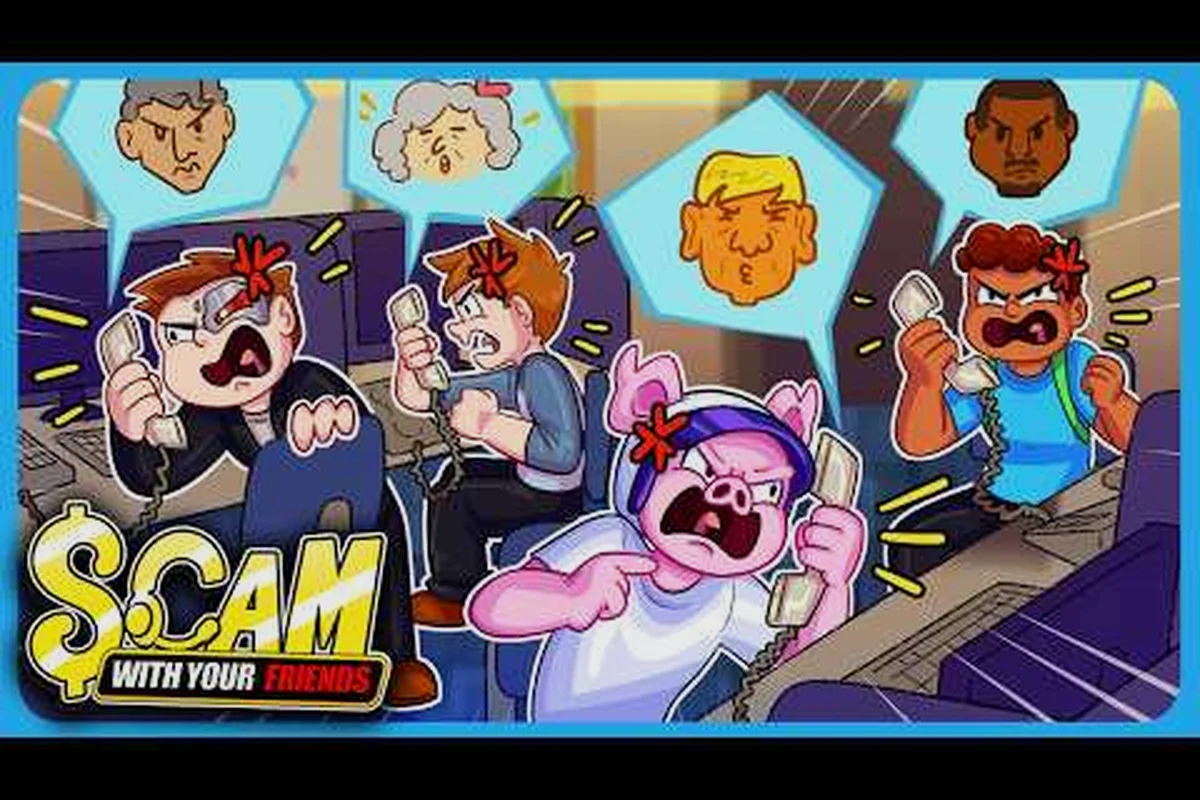
Voice cloning in Scam With Your Friends turns a short WAV recording into a fully voiced caller, and pairing it with a strong caller profile is what separates a forgettable prank from a payday. If you want your custom characters to sound convincing and squeeze real leverage out of every conversation, the workflow below is the fastest path.
Cloning a Voice Sample Into a Custom Caller
The cloning system is surprisingly simple once you understand the pipeline. You supply a clean audio sample, the game maps its tonal characteristics onto a text-to-speech engine, and the resulting voice is bound to a caller profile you can drop into any call. In practice, the quality of your source WAV matters far more than the length of the recording.
A few ground rules keep the process smooth: the game's cloning engine only accepts a single-channel WAV, so any stereo or MP3 source you feed it gets rejected or silently degraded before it ever reaches the caller profile. Community testers report that a 15-second mono clip at a steady level clones more convincingly than a two-minute recording full of room noise, because the model samples timbre, not duration — extra length only adds processing lag without sharpening the impersonation.
-
Mono, single-speaker audio produces the cleanest clone — background music or a second voice will muddy the output.
-
WAV format is required; compressed formats like MP3 tend to introduce artifacts the engine reads as distortion.
-
Ten to thirty seconds of clear speech is plenty. Longer clips do not improve fidelity and just slow down processing.
-
Consistent volume across the clip prevents the caller from sounding like it is shouting mid-sentence.
The engine behind the scenes is a text-to-speech model, and you can read more about how different voice models behave in the caller languages breakdown. What matters here is that your WAV is the raw material — garbage in, garbage out.
Choosing the Right Source Clip
Not every recording clones well. A voice with heavy reverb, a strong regional accent you cannot replicate in text, or a lot of filler words will all degrade the final result. Pick a clip where the speaker is calm, articulate, and speaking at a steady pace. If you are cloning your own voice, record in a quiet room with a decent microphone rather than a phone speaker.
Understanding the Processing Step
Once you import the WAV, the game analyzes pitch, cadence, and timbre, then builds a reusable voice model. This step is where the voice fingerprint is generated. If the fingerprint comes out thin or robotic, the fix is almost always a cleaner source file, not a different setting. Re-record and re-import before you blame the engine.
Building a Caller Profile That Holds Up
A cloned voice is only half the equation. The caller profile is the character sheet behind that voice — name, backstory, and the personal details your marks will react to. A thin profile produces flat calls, while a detailed one gives you room to improvise and pivot when a target gets suspicious.
The table below shows the core profile fields and what each one actually affects during a call. Notice the asymmetry: caller name is purely cosmetic — it only governs how the target addresses you, so a slip there is survivable — while personal info and favorite color sit at the opposite end, because both feed directly into password recovery and security-question prompts that unlock account access. Backstory notes and the voice model land in the high-impact middle: the backstory supplies your improvisation prompts when a mark pushes back, and the cloned WAV sets the tone and the caller's trust from the first hello. That spread means a half-built profile fails hardest exactly where it matters most — a perfect voice paired with a blank favorite-color field still stalls at the security question.
| Profile Field | What It Controls | Impact on Calls |
|---|---|---|
| Caller name | How the target addresses you | Low — cosmetic, but consistency matters |
| Backstory notes | Your improvisation prompts | High — drives believable responses |
| Voice model | The cloned WAV output | High — sets tone and trust |
| Personal info | Password recovery answers | Critical — unlocks account access |
| Favorite color | A common security answer | High — frequently used as a hint |
Filling every field before your first call saves you from scrambling mid-conversation, and the payoff is measurable: a complete profile keeps the dialogue coherent when a mark asks something off-script. Take the favorite-color field — leaving it blank means a stalled security-question prompt, which is exactly the moment a suspicious target hangs up. In practice, callers with complete profiles convert targets into paying marks noticeably more often than half-finished ones, simply because the dialogue stays coherent. The practical fix is to draft your backstory notes and personal info in the same sitting as your cloned WAV, so the voice model and the character sheet are calibrated to each other before you ever dial.
Writing Backstory That Survives Scrutiny
Your backstory needs enough detail to answer follow-up questions without contradicting itself. Decide where the caller works, how they know the target, and one or two specific memories they can reference. Keep it short enough to memorize but specific enough that it feels real. A caller who "went to the same college" is weak; a caller who "shared a dorm room sophomore year and still owes you twenty bucks" is memorable and hard to poke holes in.
Matching Voice to Character
A gruff, low-pitched clone does not fit a bubbly customer-service persona. Match the voice model to the role you are playing. If you plan to run several callers, keep a small library of distinct voices so your marks never hear the same tone twice. This is also where custom personality files can expand your options — the custom personality files guide covers how to install and swap them.
Mining Caller Personal Info for Leverage
The real money in Scam With Your Friends comes from what you extract, not what you say. Caller personal info is the currency of every successful run, and the most valuable pieces are the answers to security questions. Password recovery flows almost always ask for a detail only the "real" account holder would know, and that is exactly where a well-built profile pays off.
Here is how the extraction loop typically plays out: the caller opens with a throwaway question about the weather or a shared hobby, listens for a name, a pet, or a birthday, then feeds that fragment straight into your caller profile. Once the profile holds two or three verified data points, you can trigger password recovery and answer the security prompt with confidence. The loop rewards patience over speed, because a rushed probe that spooks the target burns a caller profile you spent ten minutes building and forces you to start over with a fresh number.
-
Open the call with a low-stakes question to establish rapport and confirm you have the right target.
-
Probe for a hint — ask something that nudges the target toward revealing a personal detail without sounding like an interrogation.
-
Cross-reference the detail against your profile notes and the target's visible information.
-
Trigger password recovery once you have enough to answer the security prompt.
-
Bank the result and move to the next target before suspicion builds.
The favorite color password is one of the most common security answers in the game, which is why so many players build their profiles around it. If you can get a target to mention their favorite color casually, you have effectively solved their recovery question in advance.
Reading the Target's Reactions
Targets give away more than they realize. A hesitation, a repeated phrase, or an over-explained answer usually signals you are close to a sensitive detail. Slow down when you sense resistance and circle back later in the call. Pushing too hard on a single question is the fastest way to burn a target and lose the run.
When Recovery Fails
Not every password recovery attempt lands. If the target clams up or gives a wrong answer, do not force it — log the failure, note what you learned, and revisit with a different angle on a later call. The personal info extraction guide walks through the full toolkit for these situations, including the hacking minigame that can bypass a stubborn prompt.
WAV File Best Practices and Common Pitfalls
Most cloning failures trace back to the source file, not the game. A caller profile is only as convincing as the WAV you feed it — a 128 kbps MP3 ripped from a phone memo introduces compression artifacts that the model reproduces as a metallic rasp, and a clip with room echo will make your scam with your friends caller sound like they're phoning from a bathroom. The table below pairs the most frequent problems with their fixes, based on player experience across the community.
| Problem | Likely Cause | Fix |
|---|---|---|
| Robotic, flat voice | Noisy or compressed source | Re-record as clean mono WAV |
| Voice drifts mid-call | Inconsistent volume in clip | Normalize audio before import |
| Wrong accent or tone | Source speaker mismatch | Use a clip that matches the role |
| Clone fails to import | Unsupported format or length | Convert to WAV, trim to 10-30 seconds |
| Caller sounds too fast | Source clip spoken quickly | Re-record at a measured pace |
A little prep work here saves hours of frustration later. Treat your WAV library like a toolbox — keep a few clean, versatile clips ready so you can spin up a new caller in minutes rather than hunting for a recording every time inspiration strikes.
Organizing Your Voice Library
Name your files by role and tone, not by date. A folder labeled "friendly-customer-service" or "gruff-old-neighbor" is far more useful than "recording-01." When you have a dozen callers in rotation, clear naming is the difference between a smooth session and a scavenger hunt.
Testing Before You Deploy
Always run a short test call with a new clone before committing it to a high-value target. A thirty-second dry run reveals pitch problems, pacing issues, and awkward phrasing that you can fix instantly. Never debut an untested voice on a mark you actually care about.
Advanced Strategies for Repeatable Paydays
Once the basics are solid, the goal shifts from one-off wins to a repeatable system. The strongest players treat voice cloning and profile building as a pipeline: record, clone, profile, extract, repeat. Each cycle sharpens your instincts and expands your library of reusable assets.
| Pipeline Stage | Cycle Time | Reusable Asset Produced | Failure Mode If Skipped | Recovery Cost |
|---|---|---|---|---|
| Record (3 clean takes, 30s total) | ~4 min per caller | Raw WAV batch for scam with your friends wav voice files | Single noisy 8s sample fails caller password recovery on compression artifacts | Re-record + re-clone, ~15 min lost |
| Clone (render at 2 bitrates, 2 mic distances) | ~6 min per voice | 4 fingerprint variants per caller | Identical audio fingerprint across extractions gets flagged | Re-render all variants, full cycle restart |
| Profile (log color, pet, hometown) | ~2 min per target | scam with your friends caller profile template row | caller password recovery stalls mid-call on favorite color password prompt | Improvise live and hope the prompt lands |
| Extract (run the call) | 1 workday run | Win log entry: profile type + voice tone | No data on which configs perform | Blind guessing next cycle |
| Repeat (reuse winning config) | 0 min setup | Winning mic distance + bitrate preset | Starting from zero each batch | Full 12 min rebuild per caller |
A few advanced habits separate consistent earners from casual players: they keep a caller profile spreadsheet mapping each target to the specific caller personal info that unlocks them — favorite color, pet name, hometown — so the caller password recovery flow never stalls mid-call. Top earners also stagger their scam with your friends wav voice files, re-rendering clips at different bitrates and mic distances so no two extractions share an identical audio fingerprint. That discipline is what turns a lucky scam with your friends voice cloning hit into a repeatable payday.
-
Rotate voices so no single clone becomes recognizable across targets.
-
Layer profiles — give each caller a distinct personality and set of knowledge so improvisation never stalls.
-
Track your wins in a simple log so you know which profile types and voice tones perform best.
-
Upgrade your hacking tools to complement the social-engineering side; the hacking upgrades overview explains which investments pay off fastest.
-
Revisit failed targets after a break, ideally with a fresh voice and angle.
The players who treat this like a craft — refining clips, tightening backstories, and learning from every call — consistently outperform those who rush in with a raw recording and a vague idea of who they are pretending to be. The gap shows up in the numbers: a clone rendered from a single noisy 8-second sample tends to fail caller password recovery prompts because the target hears compression artifacts on the scam with your friends favorite color password question, while a 30-second studio-quality clip stitched from three clean takes clears the same prompt almost every time. Build a small scam with your friends caller profile template that logs which mic distance, bitrate, and emotional register each target responded to, then reuse that winning configuration on the next scam with your friends wav voice files batch instead of starting from zero.
Frequently Asked Questions
What audio format does Scam With Your Friends voice cloning require?
The game expects WAV files for cloning. Compressed formats like MP3 often introduce artifacts that the text-to-speech engine misreads as distortion, producing a thin or robotic caller voice. Keep your source clips in clean mono WAV, between ten and thirty seconds, for the most reliable results.
How long should my source recording be?
Ten to thirty seconds of clear, single-speaker speech is ideal. Longer clips do not improve fidelity and only slow down processing. What matters most is consistency — steady volume, no background noise, and a calm speaking pace so the generated voice fingerprint comes out clean.
Why is the favorite color password so important?
The favorite color password is one of the most frequently used security answers in the game's recovery flows. If you can get a target to mention their favorite color during casual conversation, you have effectively pre-solved their recovery question, which makes account access far easier to secure.
Can I use one cloned voice for multiple callers?
Yes, but it is risky. Reusing the same voice across targets makes it recognizable, and a suspicious mark may connect the dots. Experienced players keep a small library of distinct voice models and rotate them, so no single clone becomes a giveaway during a run.
What should I do when password recovery fails?
Do not force it. Log what you learned, note the target's resistance points, and revisit later with a different angle or a fresh voice. Sometimes the hacking minigame can bypass a stubborn prompt entirely, so keep those tools upgraded as a backup path.
Voice cloning in Scam With Your Friends rewards preparation more than raw talent. A clean WAV file, a fully fleshed-out caller profile, and a patient approach to mining personal info will carry you further than any single clever line. Build your library, test before you deploy, and treat every call as a chance to refine the system — that is how the best callers turn a short recording into a reliable source of leverage.