
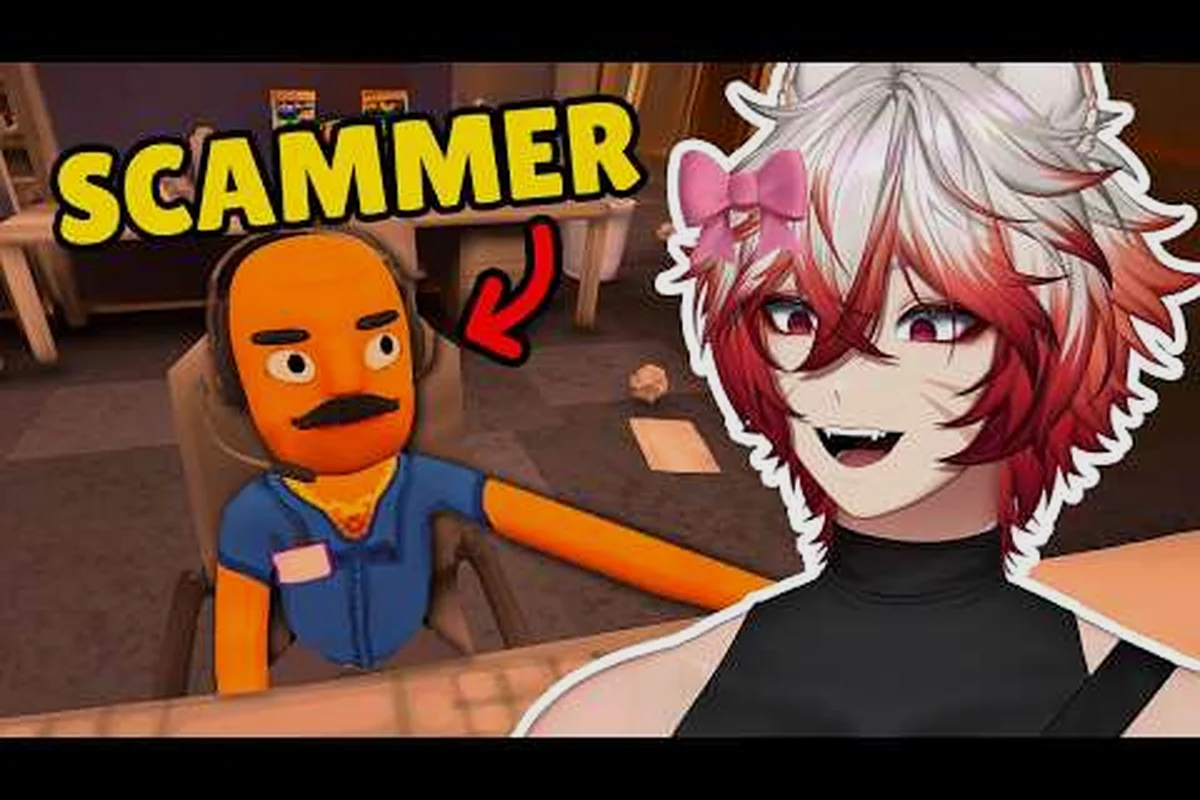
Personal info is the currency of every shift in Scam With Your Friends, and knowing how to get personal info fast separates a profitable run from a wasted one. The fastest path runs through password hints, recovery questions, and the hacking minigame, so this breakdown shows exactly where each clue hides.
Where Personal Info Actually Lives on a Victim Machine
Every victim computer you remote into carries a small, finite set of data points, and the game never hides them randomly — they sit in predictable folders that you can sweep in a fixed order. Understanding this layout is the foundation of any repeatable approach to how to get personal info without burning your whole shift on one mark.
| Victim Data Location | Typical File / Surface | Personal Info Yielded | Sweep Priority | Notes |
|---|---|---|---|---|
| Documents folder | Resume, tax form, scanned ID | Full legal name, birth date | 1 (first) | Generator seeds identity here before any account data exists |
| Browser bookmarks and history | Banking portals, email providers, subscription services | Account surface tied to the victim | 2 | Maps which accounts are worth cracking before you spend trace time |
| Notes app | Plaintext reminder ("new password is the usual plus 24") | Exact password hint string | 3 | Feeds directly into the password recovery prompt |
| Email inbox | Welcome emails, password reset messages | Account names, partial recovery data | 3 (paired with notes) | Reset messages expose the same strings the profile card hints reference |
| Photos | Pet photo, vacation shot | Hint answers (dog's name, hometown) | 4 (cleanup pass) | Used last to confirm hints you already suspect, not to discover new ones |
The key insight is that personal info is generated before you connect. The victim already has a favorite color, a pet name, a mother's maiden name, and a set of account credentials baked into their profile. Your job is not to invent anything; it is to find the fragments and reassemble them.
The same handful of high-yield locations keeps surfacing, and the reason they cluster so tightly is that the generator seeds every victim profile from one of a few fixed templates rather than building each mark from scratch. In practice, this means the Documents folder almost always carries the legal name and birth date first, the browser maps the account surface second, and the notes app plus inbox supply the exact password hint strings third — a fixed sweep order that mirrors how the profile card hints are written.
-
Documents folder — often holds a resume, tax form, or scanned ID with a full legal name and birth date.
-
Browser bookmarks and history — reveal banking portals, email providers, and subscription services tied to the victim.
-
Notes app — frequently stores a plaintext reminder like "new password is the usual plus 24."
-
Email inbox — welcome emails and password reset messages expose account names and partial recovery data.
-
Photos — a pet photo or a vacation shot can confirm a hint answer such as a dog's name or a hometown.
Each of these locations feeds a different part of the puzzle, and the order you check them matters more than raw speed. Start with the documents folder because it gives you the victim's real identity, then move to the browser to map which accounts are worth cracking. The notes app and inbox come next, since they frequently contain the exact strings you need for password recovery. Photos are the cleanup pass — you visit them last to confirm hint answers you already suspect.
One practical habit that experienced crews swear by: before you touch a single file, open the victim's profile card and read the listed hints. That card tells you which questions the game will ask during recovery, so you know precisely what to hunt for instead of collecting every file on the drive. This single step cuts wasted clicks dramatically and keeps your trace low.
How Password Hints Narrow the Search
Password hints are the single most underrated tool in the game, because they convert a brute-force guessing problem into a targeted lookup. When a login screen offers a hint, that hint is almost always drawn from information that physically exists somewhere on the same machine, which means you never have to guess blind.
The relationship between hints and source files is consistent enough to plan around because the hacking minigame seeds each hint from a fixed asset pool rather than generating it randomly — pet hints pull from the photos folder, place hints from resumes and tax documents, and name hints from scanned IDs. That predictability means you can pre-stage the right files before the login screen even appears. Use the table below as a working reference the next time you are deciding where to dig, and cross-check it against your collected identity documents so a vague hint never forces a blind guess mid-attempt.
| Hint Type | Typical Wording | Where the Answer Usually Sits |
|---|---|---|
| Pet-based | "First pet's name" | Photos folder, notes app |
| Place-based | "City you were born in" | Resume, tax documents |
| Color-based | "Favorite color" | Social profile, chat logs |
| Name-based | "Mother's maiden name" | Scanned ID, family emails |
| Number-based | "Lucky number" | Notes app, calendar entries |
Treating hints as a map rather than a lottery is what makes the difference on harder difficulties, where the login screen gives you less time and wrong guesses cost you real time. If a hint references a pet, do not start typing random animal names — open the photos folder and look for the most-photographed animal, because the game seeds the answer from actual assets.
There is a second layer here that many players miss. Some hints are deliberately vague, like "the usual," and those point to the notes app rather than a document. When you see a hint that reads like a personal shorthand, the answer is almost always a plaintext reminder the victim wrote for themselves. Reading those reminders is one of the most reliable ways to get personal info quickly, because the victim has essentially done the work for you.
It also helps to know that hints scale with difficulty. On easier settings, the hint text is nearly literal. On harder settings, the same hint might require you to combine two files — for example, a first name from a resume plus a birth year from a tax form. Plan for that by collecting identity documents before you attempt any login, so you are never stuck mid-guess with the timer running.
Cracking Password Recovery and Security Questions
Password recovery is where most runs either accelerate or stall, and the deciding factor is whether you gathered security question answers before you needed them. Recovery screens in Scam With Your Friends pull from the same pool of personal details, so the preparation you did in the documents folder pays off directly here.
The recovery flow generally asks two to three questions drawn from the victim's profile. Because those answers are fixed at generation time, you can pre-load them mentally before you ever open the recovery page. The table below maps common security questions to their most likely source.
| Security Question | Likely Source File | Reliability |
|---|---|---|
| "What was your first car?" | Notes app, chat logs | Medium |
| "What is your mother's maiden name?" | Scanned ID, family emails | High |
| "What elementary school did you attend?" | Resume, social profile | Medium |
| "What is your favorite color?" | Social profile, chat logs | High |
| "What city were you born in?" | Tax form, resume | High |
High-reliability questions are worth prioritizing because the answer is usually stated outright rather than implied. When you find a scanned ID, you typically get a maiden name and a birth city in one pass, which can satisfy two recovery prompts at once.
A subtle but important detail: the game sometimes reuses the same answer across multiple accounts. If you learn the victim's favorite color while cracking one login, that same color often unlocks a second account's recovery screen. Keeping a mental note of confirmed answers turns a single discovery into a chain of unlocks, and it is the reason veteran players treat recovery as a snowball rather than a one-off task.
For crews running co-op, this is also where role splitting shines. One player can stay on the recovery screen while another keeps mining files for the next answer, so the timer never runs dry. If you want a deeper look at how remote access and file mining fit together, the remote access walkthrough breaks the whole loop into ordered steps.
Reading the Victim Profile Card First
Before you attempt any recovery prompt, open the victim profile card and note every listed detail. That card is effectively an answer key, and players who skip it end up guessing answers that were visible the entire time. Spending five seconds on the card routinely saves thirty seconds of failed attempts.
When Recovery Fails and You Must Find the Password Directly
Sometimes recovery is locked or the questions are too vague to answer confidently, and that is when you pivot to finding the password itself. The direct route is slower but more certain, and it depends on the hacking minigame rather than deduction.
Mastering the Hacking Minigame and Tools
The hacking minigame is the mechanical core of credential cracking, and treating it as a reflex test is a mistake. It is a pattern-matching exercise, and the tools you unlock change which patterns you can exploit. Learning the minigame's rules is essential to any consistent method for how to get personal info out of a locked account.
At its base, the minigame presents a grid of candidate strings and asks you to identify the correct one using similarity feedback. Each guess tells you how many characters match the true password, which lets you eliminate candidates logically instead of randomly. The efficient approach is to pick a first guess near the middle of the grid, read the match count, then jump to a candidate that shares that many characters with your guess.
The tools you acquire expand what is possible: each one targets a different bottleneck in the cracking loop rather than simply raising your raw guess count. A position scanner, for example, converts a five-guess minigame into roughly three by confirming fixed positions early, while a footprint-reducing tool does nothing for accuracy but extends the window before the trace forces you out. Because the unlock priority breakdown shows that upgrade slots are limited, the real decision is not which tool is strongest but which combination covers the account types you actually target.
-
A hint-surfacing tool — reads the hint text without opening the login screen, saving a click per account.
-
A position scanner — narrows the candidate pool by confirming individual positions, which shortens the minigame on hard difficulty.
-
Recovery bypass — skips one security question, useful when an answer is genuinely unavailable.
-
A footprint-reducing tool — slows the trace while you work, buying extra seconds on risky accounts.
-
Auto-sort — reorders candidates by likelihood, which reduces the number of guesses you need.
Each tool has an opportunity cost, so the smart move is to match your loadout to the account type. High-value accounts with long passwords justify a position scanner; low-value accounts are not worth a footprint-reducing tool. If you are still deciding which upgrades to chase, the unlock priority breakdown explains how progression choices compound over a full run.
Practicing the Minigame Without Risk
You can rehearse the minigame on low-value accounts before committing to a high-stakes login. Treat early, cheap accounts as practice reps: run the similarity logic, note how many guesses a typical password takes, and build the habit of reading match counts before clicking. That muscle memory is what keeps you calm when the clock is really ticking.
Layering Tools for Faster Cracks
Stacking a revealer with auto-sort means you see the hint and a ranked candidate list at the same time, which collapses the decision into a single glance. Layering tools this way is how experienced players shave seconds off every account, and those seconds add up across a full shift of marks.
A Repeatable Routine for Fast Personal Info
Speed comes from routine, not from frantic clicking. The players who consistently pull the most personal info per shift follow the same sequence every time, because the game's recovery flow rewards preparation over raw reaction speed. A disorganized run means opening the victim profile card, bouncing to the hacking minigame, then doubling back for password hints you skipped — each backtrack burns clicks and raises the odds of a trace. A fixed order front-loads the cheap intel: profile card hints and security questions first, documents folder identity data second, then browser portals, notes app shorthand, and inbox reset emails. By the time you reach the hacking minigame, most accounts fall to password recovery with pre-loaded answers, so the minigame only runs on the stubborn few. That sequence is worth copying until it becomes automatic.
The order below reflects the recovery loop's actual dependency chain: profile card hints and security questions feed the password recovery prompts, so harvesting them first means the documents folder sweep and browser portal checks can pre-load answers before the hacking minigame ever triggers. Community-reported runs consistently show that skipping straight to the minigame on a locked account wastes the most clicks, because a failed attempt forces you back through the profile card anyway — the routine simply front-loads what the trace punishes you for doing late.
-
Open the victim profile card and record every listed hint and question.
-
Sweep the documents folder for identity data — name, birth date, birth city.
-
Check the browser for account portals worth cracking.
-
Read the notes app for plaintext reminders and shorthand answers.
-
Scan the inbox for reset emails and account confirmations.
-
Confirm hint answers against photos and chat logs.
-
Attempt recovery with pre-loaded answers before touching the minigame.
-
Only then run the minigame on accounts that resist recovery.
Following this order means you almost never guess blind, and it keeps your trace exposure low because you spend fewer clicks per account. The routine also makes co-op trivial to coordinate, since each step can be handed to a different player without overlap.
One more habit that pays off: keep a running note of confirmed answers as you go. Because answers repeat across accounts, a simple mental tally of "favorite color is green, dog is Baxter" turns every subsequent login into a faster solve. That compounding effect is the real reason routine beats raw speed — the tenth account takes a fraction of the time the first one did.
Frequently Asked Questions
What is the fastest way to get personal info in Scam With Your Friends?
Start with the victim profile card, then sweep the documents folder and notes app before touching any login. Those three locations cover identity data and plaintext reminders, which together answer most password hints and security questions without forcing you into the hacking minigame on every account.
Do password hints always match a file on the machine?
In most community-reported runs, yes. Hints are seeded from assets that exist on the same victim computer, so a pet hint points to the photos folder and a place hint points to a resume or tax form. Vague hints like "the usual" almost always resolve to a note the victim wrote.
Are security question answers reused across accounts?
They frequently are. A confirmed favorite color or pet name often unlocks recovery on a second account tied to the same victim. Tracking confirmed answers as you go turns one discovery into a chain of unlocks, which is why preparation beats guessing on harder difficulties.
What should I do when password recovery fails?
Pivot to the hacking minigame and crack the password directly. Use the position scanner to narrow candidates and read the similarity feedback after each guess rather than clicking randomly. A footprint-reducing tool helps on high-value accounts where the timer is tight.
Which hacking tools are worth unlocking first?
Hint-surfacing tools and auto-sort give the best early return because they reduce clicks and guesses on every account. Position scanners and footprint-reducing tools are better saved for high-value marks, since their benefit only justifies the cost when the account actually pays out well.
Getting personal info fast in Scam With Your Friends comes down to preparation and order: read the profile card, mine the documents and notes, pre-load recovery answers, and only fall back on the hacking minigame when an account resists. Build that routine once and every shift gets faster.