
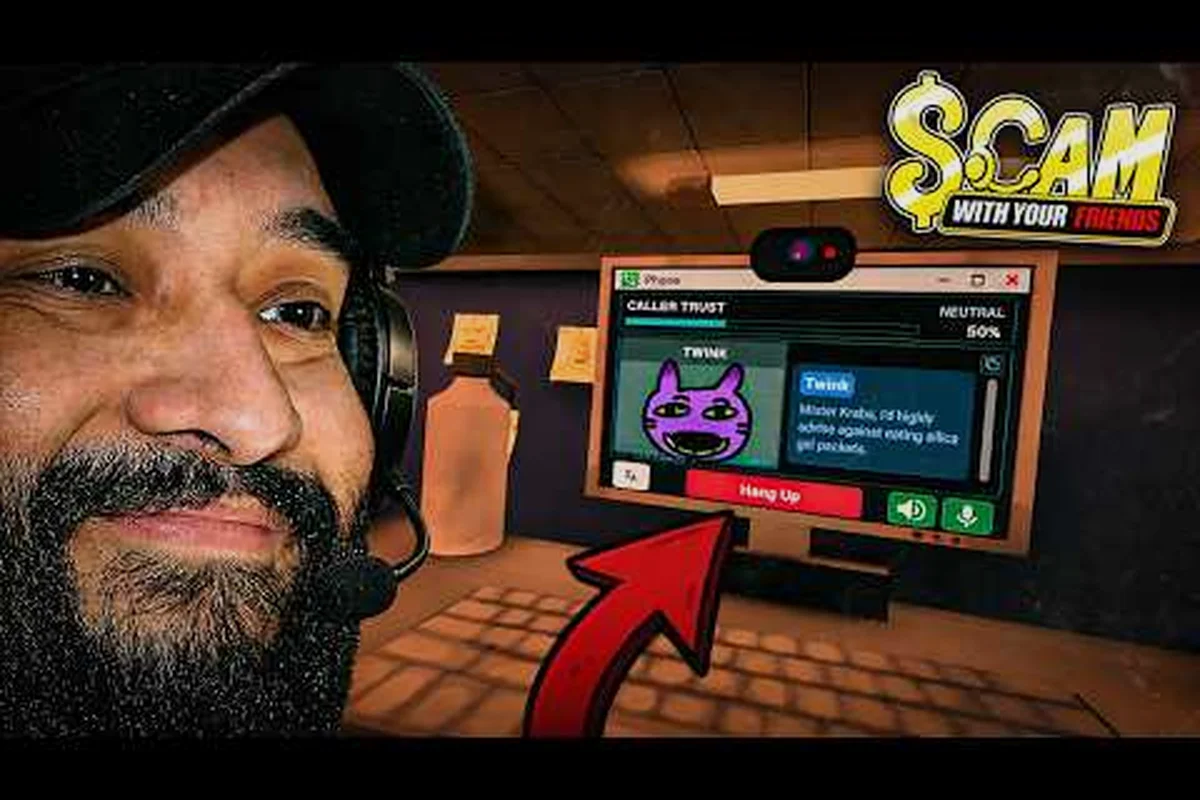
Getting Scam With Your Friends best settings right on a GTX 1060 comes down to one idea: the AI voice backend eats more resources than the graphics do. This guide walks through the exact options that keep calls smooth without gutting the visuals.
Why the GTX 1060 Is Still a Viable Card Here
The GTX 1060 sits comfortably above the floor for this game, but only if you understand where the load actually lands. The rendering pipeline is light — a stylized office, a handful of props, and a laptop screen. The heavy lifting happens on the CPU and RAM side, where the speech synthesis and caller logic run in the background during every conversation.
That split matters because most players tune the wrong knob first. Dropping shadows and textures to their lowest values frees up GPU headroom you were never using, while the stutter you actually feel comes from memory pressure and voice processing. In practice, the same pattern recurs: a 1060 paired with 16 GB of RAM runs clean, while the same card with 8 GB hitches whenever a new caller loads.
6 GB VRAM is the practical threshold for the 1060 family, and the gap between the two variants is wider than the 3 GB sticker suggests. The 6 GB card holds 1080p high without texture streaming hitches, while the 3 GB variant forces you to cap texture quality one notch lower and stay at 1080p rather than pushing to 1440p — at 1440p the 3 GB frame buffer overflows during caller transitions, producing the same stutter pattern the 8 GB system RAM config shows. If you are on the 3 GB model, drop textures to medium and leave shadows at high; the shadow map costs almost nothing here, so sacrificing it buys no stability.
The tiers below map directly onto the VRAM and system RAM thresholds already covered, so treat the table as a confirmation of the 6 GB / 16 GB sweet spot rather than a new set of rules. A GTX 1060 6 GB lands in the "smooth at 1080p high" row only when paired with 16 GB of RAM; the same card on 8 GB drops toward the 3 GB experience during caller transitions, since the speech synthesis buffer and caller logic compete for the same memory pool. The RTX 2060 row is not about raw GPU speed here — it simply provides enough VRAM and driver headroom to absorb voice processing spikes without touching texture quality.
| Hardware Tier | GPU Example | Expected Experience |
|---|---|---|
| Below minimum | GTX 750 Ti | Frequent stalls, voice desync |
| Minimum spec | GTX 960 / 1050 | Playable at low, some hitches |
| GTX 1060 3 GB | 1060 3 GB | Smooth at 1080p medium |
| GTX 1060 6 GB | 1060 6 GB | Smooth at 1080p high |
| Recommended spec | RTX 2060+ | High/ultra, headroom to spare |
If you are also running the game on a handheld or a low-power laptop, the Steam Deck settings breakdown covers the specific trade-offs for that hardware family. The same logic from the 1060 tiers carries over: the Deck's APU shares its memory pool between the GPU and the caller logic, so the 16 GB threshold matters even more there, and the 40 Hz / 40 FPS cap many players use is really a way to keep the speech synthesis buffer from spiking during caller transitions. On a 1060 laptop, expect the same 1080p medium ceiling as the desktop 3 GB card once thermal throttling kicks in, since the mobile chip downclocks before it ever runs out of VRAM.
The Real Bottleneck Is Not Your GPU
Before you touch a single slider, check your RAM usage while the game is running. Open Task Manager, start a shift, and watch the memory graph during your first three calls. If you see it climb past 85 percent of total capacity, no graphics setting will save you — the game is swapping to disk, and that is what produces the mid-sentence freeze everyone complains about.
Voice models load into memory and stay resident. Each distinct caller voice adds a small footprint, and a full roster of custom voices compounds it. Players running large downloaded voice packs report that trimming the roster to the callers they actually use restores most of their lost frame time.
Scam With Your Friends Graphics Settings That Actually Matter
The options menu in Scam With Your Friends is padded with cosmetic toggles — FOV sliders, HUD opacity, camera shake, and subtitle scaling — that have zero measurable effect on frame time, so tweaking them to chase FPS is wasted effort. The real gains live in a handful of entries buried in the Advanced tab, and knowing which ones matter saves you an hour of trial and error on a GTX 1060. On the 3 GB card especially, misjudging this menu means you'll blame the wrong setting when the frame drops actually trace back to resolution scale or texture streaming.
The three entries that genuinely move frame time on a GTX 1060 are Resolution Scale, Texture Quality, and Post-Processing — the rest of the Advanced tab is largely noise. Resolution Scale directly multiplies your render target before upscaling, so a drop from 100% to 90% cuts roughly 19% of the pixels the GPU has to shade each frame; that is why it outperforms toggling Shadows, which only touches a single lighting pass. Texture Quality governs VRAM residency, and on the 3 GB card pushing it past Medium triggers streaming stalls mid-heist rather than a smooth frame drop. Post-Processing bundles bloom, depth of field, and color grading into one cost, so knocking it to Low on the 3 GB card frees headroom without the flat look you would get from disabling Shadows entirely.
| Setting | Recommended (1060 6 GB) | Recommended (1060 3 GB) | Performance Impact |
|---|---|---|---|
| Resolution | 1920x1080 | 1920x1080 | High |
| Resolution Scale | 100% | 90% | High |
| Texture Quality | High | Medium | Medium |
| Shadows | Medium | Low | Low |
| Anti-Aliasing | FXAA | Off | Low |
| Post-Processing | Medium | Low | Medium |
| V-Sync | Off | Off | Situational |
| Motion Blur | Off | Off | Negligible |
Resolution scale is the single most effective lever you have. Dropping it to 90 percent on the 3 GB card recovers roughly the same frame time as turning off shadows entirely, and the visual difference at 1080p is far less noticeable than a blurry texture.
V-Sync deserves a specific callout. Leaving it on caps you at your monitor's refresh rate, which sounds fine until a heavy call drags you below that line and the frame pacing collapses into a stutter. Turning it off and capping the frame rate manually through your GPU driver gives you a steadier experience.
Texture Streaming and VRAM Pressure
Texture quality on a 1060 is a VRAM budget question, not a visual preference. The 6 GB card handles high textures at 1080p without spilling over, but the 3 GB model will start evicting textures to system memory the moment you push it, and that eviction is what causes the pop-in you see when a caller's portrait loads.
Set texture quality so that your VRAM usage stays under about 85 percent of total capacity. You can watch this in a monitoring overlay during a live shift. If usage spikes above that line when a new caller appears, drop one texture tier and re-test.
Anti-aliasing is nearly free here because the scene geometry is simple — the office interior and caller portraits are mostly flat surfaces with few high-frequency edges, so FXAA's post-process blur pass costs you almost nothing on the 6 GB card. At 1080p, FXAA typically shaves less than 1 FPS while cleaning up the office edges and monitor bezels nicely, so there is little reason to disable it. MSAA, by contrast, is a different story: 2x MSAA multiplies the geometry workload and can cost 5–8 FPS on a GTX 1060, which is a poor trade when the visual difference over FXAA is minimal. Keep FXAA on, skip MSAA, and leave the VRAM headroom you freed up for texture streaming instead.
Scam With Your Friends Performance Settings Beyond the Options Menu
The in-game options menu in Scam With Your Friends only exposes a fraction of the settings that actually affect frame pacing and voice-model responsiveness. The bigger gains come from driver-level and OS-level tweaks — for example, forcing NVIDIA Control Panel or AMD Adrenalin to handle the frame cap instead of the in-game limiter, which the game applies inconsistently and which can still let the GPU spike during the voice-synthesis pipeline. On a GTX 1060, these external adjustments matter even more because the card sits right at the edge of the recommended spec, so every millisecond shaved off shader compilation or overlay overhead translates directly into smoother lip-sync and fewer dropped voice lines during a long con.
These are the changes that matter most: NVIDIA Control Panel frame caps that override the in-game limiter (which the voice-synthesis pipeline ignores during long shifts), overlay hooks that inflate shader-compilation time on a GTX 1060, and RAM contention from background browsers that starves the voice models mid-conversation.
-
Cap your frame rate at 60 or your monitor's refresh rate through the GPU control panel rather than in-game.
-
Disable overlays you do not use — every running overlay hooks into the render path and adds overhead.
-
Close background browsers before a long shift, since they compete for the same RAM the voice models need.
-
Set the game to high priority in Task Manager if you notice voice responses lagging behind the caller's lip movement.
-
Keep your GPU driver current, because older drivers handle the game's shader compilation less efficiently.
Frame rate caps are the most underrated fix on this list. An uncapped frame rate makes your GPU work at full tilt rendering frames you never see, which raises temperatures and can trigger thermal throttling on a laptop 1060. Capping at 60 keeps the card cool and the frame pacing flat.
Matching Settings to Your Actual Hardware
The right configuration depends on which 1060 you own and what else is in the case. A GTX 1060 3 GB card carries 1152 CUDA cores and 3 GB of VRAM, while the 6 GB variant bumps that to 1280 cores and double the frame buffer — and in Scam With Your Friends, that VRAM gap decides whether you can hold Medium textures or get forced down to Low with a 90% resolution scale. Your CPU and RAM matter just as much, though, because the game's voice-line streaming and roster logic lean on system memory far harder than the renderer leans on the GPU. Rather than guessing, match your build to one of these profiles.
| Build Profile | CPU | RAM | Settings Preset |
|---|---|---|---|
| Budget 1060 3 GB | Ryzen 5 2600 | 8 GB | Low, 90% scale |
| Standard 1060 6 GB | Ryzen 5 3600 | 16 GB | Medium-High, 100% scale |
| Comfortable 1060 6 GB | i5-10400 | 16 GB | High, 100% scale |
| 1060 + heavy voice packs | Any 6-core | 32 GB | High, trim roster |
The pattern is consistent: RAM and CPU headroom buy you more smoothness than GPU settings ever will. A 1060 6 GB with 32 GB of RAM will out-perform a 1060 6 GB with 8 GB in every scenario that involves voice loading, regardless of how you configure the graphics.
If your machine is struggling to even reach the menu, the launch troubleshooting steps in the not launching fix guide address the startup side of the problem. That guide covers the crash-on-boot and black-screen cases specifically — clearing the config file that Scam With Your Friends writes on first launch, verifying the voice-line cache, and capping the process priority so an 8 GB system doesn't get starved before the lobby loads. Fix those first, because no graphics preset will help if the game never gets past the loading screen on your 1060 build.
Scam With Your Friends System Requirements in Practice
The published requirements give you a baseline, but the gap between "meets minimum" and "runs well" is wider here than in most games because of the AI voice layer. Minimum spec gets you into a shift; it does not guarantee a pleasant one.
| Requirement | Minimum | Recommended |
|---|---|---|
| OS | Windows 10 64-bit | Windows 11 64-bit |
| CPU | Quad-core 2.5 GHz | Six-core 3.0 GHz+ |
| RAM | 8 GB | 16 GB |
| GPU | GTX 960 / 1050 | RTX 2060 / RX 5700 |
| VRAM | 4 GB | 8 GB |
| Storage | 20 GB SSD | 20 GB SSD |
| DirectX | Version 11 | Version 12 |
Storage type is not a minor detail. An SSD cuts load times dramatically and, more importantly, prevents the disk-swap stutter that appears on mechanical drives when the game streams voice data mid-call. If you are still on a spinning drive, moving the install to an SSD is the highest-value upgrade available to you.
Windows 10 versus Windows 11 makes less difference than the raw numbers suggest, and neither OS will rescue a CPU that falls below the quad-core 2.5 GHz floor. Both run the game fine, though Windows 11 handles the background voice processes slightly more efficiently on newer CPUs — its improved thread scheduler keeps the AI voice layer from competing with the render thread during multi-person calls. The catch is DirectX: the recommended spec lists Version 12, which Windows 10 supports, so you are not locked out by staying on the older OS. What actually matters is driver maturity. On a GTX 1060 build, Windows 10 with a current NVIDIA driver often matches Windows 11 frame-for-frame, because the game's voice pipeline is CPU-bound rather than GPU-bound. If you are already on Windows 11, leave it alone; if you are on Windows 10 and stable, there is no performance reason to migrate just for this title.
Reading the Requirements Honestly
The minimum GPU entry — a GTX 960 or 1050 — is genuinely the floor. Those cards run the game, but at low settings and with visible compromises during heavy call sequences. The 1060 sits meaningfully above that line, which is why it remains a popular choice for this title.
The recommended spec targets an RTX 2060, which is a substantial jump. You do not need to hit that number to have a good experience; you need to hit it if you want high settings with no compromises. A 1060 6 GB lands somewhere in the middle, and the settings above are tuned to keep it there.
Dialing In Your Final Configuration
Once you have applied the settings above, the last step is verification. Run a full shift and watch for the specific symptoms that tell you a setting is still wrong. Don't judge from the menu screen: the first call of a session loads only one or two voice lines, while the tenth call with a full caller roster and several background apps running is where memory pressure and CPU spikes actually show up. Track your FPS with a monitoring overlay across at least three consecutive shifts, note which caller or room triggers the drop, then adjust one setting at a time so you can attribute each change to a measurable result.
-
Mid-sentence freezes point to RAM pressure — trim your voice roster or close background apps.
-
Texture pop-in means you are over your VRAM budget — drop texture quality one tier.
-
Frame pacing stutter usually traces back to V-Sync — disable it and cap manually.
-
Slow voice responses suggest CPU contention — raise the game's process priority.
-
High temperatures indicate an uncapped frame rate — set a 60 FPS limit.
Verification over a full shift matters because the load is not constant. The first call of a session is light; the tenth, with several voices loaded and the office busy, is where problems surface. Test under realistic conditions rather than judging from the menu screen.
If you want to push further into the game's systems once performance is stable, the caller roster guide explains how voice variety affects both gameplay and memory footprint, which helps you decide which callers are worth keeping loaded.
Frequently Asked Questions
Can a GTX 1060 run Scam With Your Friends at high settings?
Yes, if you have the 6 GB model and at least 16 GB of system RAM. High textures at 1080p stay within the VRAM budget, and the light rendering load means the GPU is rarely the limiting factor. The 3 GB variant should stick to medium textures.
How much RAM do I actually need for smooth calls?
16 GB is the practical sweet spot. The game itself does not demand it, but the resident voice models do, and 8 GB systems swap to disk during heavy call sequences. Players running large custom voice packs report that 32 GB eliminates the remaining hitches entirely.
Does turning off V-Sync really help performance?
It helps frame pacing more than raw frame rate. V-Sync caps you at your refresh rate, and when a heavy call pushes you below that line, the pacing collapses into visible stutter. Disabling it and capping the frame rate manually through your GPU driver produces a steadier result.
What is the single biggest performance upgrade for a 1060 build?
Moving the install to an SSD. Disk-swap stutter during voice streaming is the most disruptive issue on this hardware tier, and an SSD removes it almost entirely. It costs less than a GPU upgrade and delivers a more noticeable improvement in moment-to-moment smoothness.
Do the minimum requirements guarantee a good experience?
No. The minimum spec gets you into a shift, but the AI voice layer pushes real-world demands above what those numbers suggest. A system that technically meets minimum may still hitch during busy calls. The recommended spec is a more honest target for comfortable play.
The Bottom Line on 1060 Settings
The GTX 1060 remains a solid card for this game because the rendering load is modest and the real demands sit elsewhere. Tune resolution scale and texture quality to your VRAM budget, cap your frame rate, and give the voice models enough RAM to breathe. Do those three things and the card delivers smooth shifts at 1080p without any visual sacrifice that matters. The settings in this guide are a starting point, not a rulebook — verify them over a full shift and adjust from there.